in Linux commands

How to display meminfo in megabytes in top command?

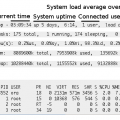
Sometimes it is not comfortable to see meminfo in kilobytes while you have several gigs of RAM. In Linux it looks like that:

When in top, typing capital “E” cycles through different memory units (kb, mb, gb etc) in the total memory info:

While lower-case “e” does the same individual process lines:


top command

Related Posts

Written By:

Blog for everything about hosting, website, server and technical support

Add a Comment

Your email address will not be published. Required fields are marked *

This site uses Akismet to reduce spam. Learn how your comment data is processed.